

Click the button to start reading
The Inclusive Meeting Makeover: Ensuring Every Voice (Really) Gets Heard
You’re tired of meetings where the loudest opinion wins and brilliant ideas stay trapped in someone’s notebook.
The good news? A few repeatable tactics can turn every session—whether in‑person or remote—into a launchpad where perspectives surface, introverts shine, and your team walks out energized instead of eye‑rolling.
Ready for a makeover? This playbook dives deep—giving you not just tips, but frameworks, scripts, and real‑world proof that inclusion scales results.
Quick Takeaways
- 48‑hour pre‑agenda + pre‑work requests raise participation by up to 35%.
- Silent brainstorm → round‑robin doubles idea diversity in hybrid teams.
- Two‑Yes Rule prevents orphaned action items and boosts ownership.
- Live documentation inside Teamly slashes follow‑up confusion.

1. Prep Like an Inclusive Pro
Inclusion starts before anyone clicks “Join.” Set the stage so every voice already has a seat. Think of prep as laying theatre lights: if you angle them right, even background characters glimmer.
a) Purpose‑Plus‑Promise Agenda (P+P)
Send an agenda that does more than list topics: it tells attendees what success looks like. Example:
❖ Topic: Q3 Launch Roadblocks
• Decision Needed: Prioritize backlog tickets
• Promise: Walk out with a clear top‑five list & assigned owners
b) Multi‑Format Pre‑Work
People digest information differently. Offer options:
- Google Form with multiple‑choice + open questions
- 60‑second Loom for verbal processors
- Slack thread for bullet lovers
When responses flow in, summarize insights into a shared doc so everyone begins on the same page.
c) Rotating Facilitator—With a Soft Landing
Announce next meeting’s facilitator at the end of the current one. Provide a one‑page checklist so new leads never feel tossed into the deep end.
“Great facilitation is a muscle, not magic. Rotate roles and your bench strength compounds.”
d) Ground Rules as Social Contract
Draft guidelines with your team. A co‑authored charter gains traction faster than top‑down edicts. Sample rules:
- No interruptions—use hand‑raise emoji.
- Assume positive intent.
- Disagree with ideas, not humans.
Inclusive Prep Checklist
- ✅ Agenda sent 48 hours in advance
- ✅ Pre‑work requested in at least two formats
- ✅ Facilitator named & briefed
- ✅ Ground rules linked in invite
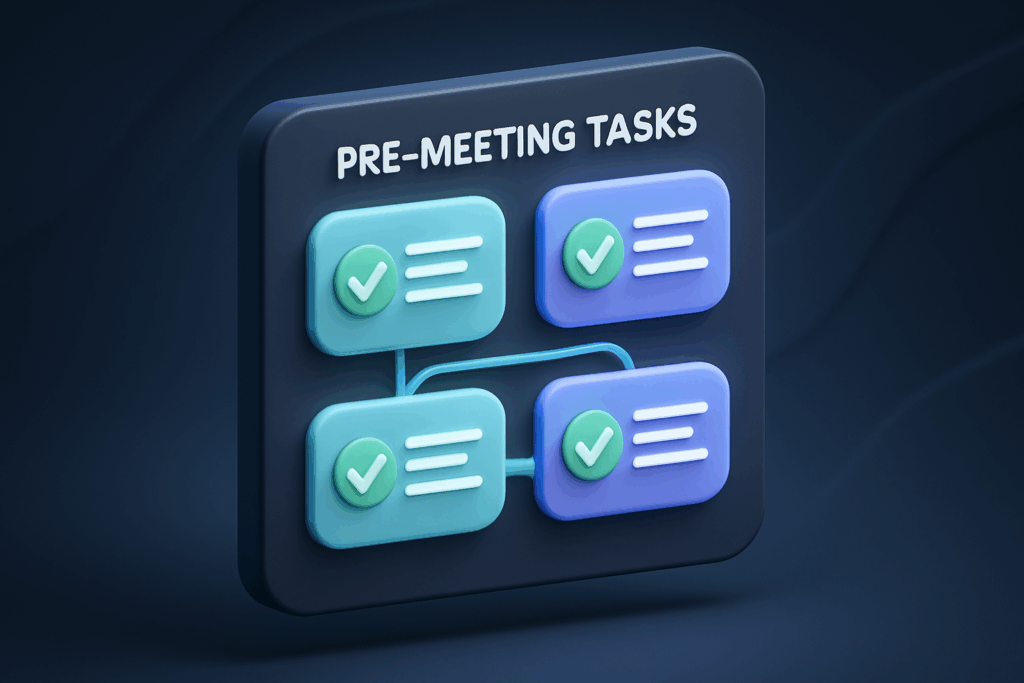
- ✅ Teamly task board created for real‑time note taking
2. Agenda Hacks That Give Everyone Footing
An agenda isn’t just a checklist; it’s a runway. Craft yours with equity built in, so introverts and extroverts share equal airtime.
a) The 5‑Minute Pulse Check
Kick things off with a lightning‑round question (“What’s one obstacle blocking your sprint goal?”). Each person answers in 30 seconds. Set a visible timer. This ritual warms up voices early and signals that brevity matters—no monologues allowed.
b) Progress, Problems, Proposals (P³)
Structure each topic in a three‑part cadence:
- Progress – Brief wins or data points.
- Problems – The friction you need collective input to solve.
- Proposals – Draft recommendations to spark reactions.
The flow nudges participants to critique ideas (not people) and keeps debate from sliding into aimless updates.
c) Time‑Box & Stack
Assign a strict time allotment to each agenda item. When multiple hands shoot up, use a visible “stack” list. The stack makes turn‑taking transparent, dissolving anxiety over whether you’ll ever be called on.
d) Emoji Voting & Weighted Scores
Instead of a show of hands, drop emoji reactions in chat (👍, ✨, 🔥). Then calculate a quick weighted score right in the doc:
👍 = 1 pt, ✨ = 2 pts, 🔥 = 3 pts
Visual, playful, and bias‑reducing.
e) Diversity Icebreakers
Once a month, swap the pulse check for a “perspective prompt” like “Share a lesson you learned from a hobby outside work.” These micro‑stories surface hidden expertise and deepen empathy.

3. Facilitation Moves for Real‑Time Equity
You’ve prepped and framed the discussion—now keep the mic moving.
a) Silent Brainstorming ≠ Awkward Silence
Give everyone three minutes to jot ideas on a shared digital whiteboard—pens down, mouths closed. Silent ideation prevents early anchoring on dominant voices and surfaces unconventional takes you’d otherwise miss.
b) Round‑Robin Reactions
Invite each participant to highlight one standout idea (not their own). This mini‑amplification loop rewards listening and cross‑pollination.
c) Traffic‑Light Feedback
Use virtual cards:
- Green = “I’m in.”
- Yellow = “I have clarifying questions.”
- Red = “I disagree for these reasons.”
Color‑coded responses make dissent visible without confrontation.
d) The Two‑Yes Rule
No idea moves to action unless two people volunteer to champion it. This filter protects against pet projects and ensures ownership emerges before tasks leave the room.
e) Pause for Reflection
Every 20 minutes, ask: “Whose voice haven’t we heard?” Use the attendee list as a checklist. Call on missing names with curiosity, not pressure: “Alex, curious if you see any blind spots here?”
f) Emoji Temperature Checks
Drop a quick prompt: “How confident are we about this decision?” Participants react with 🌡️ emojis from cold to hot. You’ll spot hesitation fast.
4. Tech & Tactics for Remote Inclusivity
Distributed teams face extra hurdles—laggy audio and unseen cues. These tweaks keep digital rooms democratic:
- Video‑optional attendance. Some collaborators think better while standing or doodling. Respecting preferences lowers cognitive load and boosts contribution quality.
- Chat Waterfall. Ask a question, instruct everyone to type but not hit Enter. After 60 seconds, trigger the “waterfall.” Ideas appear simultaneously—no popularity bias.
- Micro‑breakouts. Use two‑person rooms for five‑minute idea‑polishing. Introverts often elaborate more freely in micro‑spaces, and you return with sharper insights.
- Closed captions on by default. Beyond accessibility, captions catch fuzzy audio and empower multitaskers reviewing transcripts later.
- Live documentation. A shared Teamly task list updated in real time transforms decisions into assignments before the call ends—no voice lost in translation.
- Async voice threads. For time‑zones spanning oceans, let teammates drop voice notes in Slack after listening to meeting recordings at 1.25× speed.
Accessibility Boosters
Consider color contrast in shared slides, provide screen‑reader friendly docs, and describe visuals aloud. Inclusivity isn’t optional; it’s table stakes.
5. Post‑Meeting Follow‑Through That Honors Every Idea
The most inclusive meeting still fails if follow‑through fizzles. Cement equity in the aftermath:
- Summarize within one hour. Send bullet‑point highlights plus action owners. Tag tasks in Teamly so notifications ping participants before momentum cools.
- Publish a “parked ideas” list. Anything tabled goes to a backlog doc, visible to all. Schedule a monthly review so postponed gems resurface.
- Request micro‑feedback. A two‑question poll—“Did you feel heard?” and “What would improve next time?”—builds a continuous inclusion loop.
- Celebrate the quiet win. Spotlight an idea from a first‑time contributor in your company Slack. Public gratitude breaks future hesitation faster than any policy.
- Track equity metrics. Use meeting analytics to log speaking time by participant. Aim for no single voice exceeding 25% of airtime. Over a quarter, watch that metric flatten.
6. Case Studies: Inclusion in Action
Case 1: Fintech Startup “ArcPay”
Problem: Product sprints stalled because senior engineers dominated decisions.
Solution: Introduced silent brainstorm + Two‑Yes Rule.
Outcome: Task ownership spread from 3 to 7 engineers; sprint velocity improved 18%.
Case 2: Non‑profit “GreenSteps”
Problem: Hybrid board meetings sidelined remote trustees.
Solution: Chat waterfall + closed captions + shared stack.
Outcome: Remote trustees submitted 42% of actionable ideas in next quarter, up from 9%.
7. Pitfalls & Quick Fixes
| Pitfall | Why It Hurts | Fix |
|---|---|---|
| Agenda arrives 15 minutes before call | Participants default to reaction, not reflection | Automate an “agenda reminder” in calendar tool 48 h prior |
| Same facilitator every time | Power imbalance + stagnant style | Create a rotation chart for the quarter |
| Calling on volunteers only | Introverts vanish from discourse | Use round‑robin prompts + stack list |
8. Your Inclusive Meeting Starter Kit
Download this toolkit and launch your makeover in under 30 minutes:
- P+P Agenda template (Google Doc)
- Facilitator One‑Pager PDF
- Silent Brainstorm Miro board link
- Inclusive Ground Rules poster
- Teamly task board template
Tip: Import the agenda template straight into Teamly and assign time boxes using its timer add‑on for friction‑free execution.
Ready to Transform Your Next Meeting?
Inclusive meetings aren’t accidental—they’re architected.
By prepping intentionally, structuring dialogue, weaving in silent brainstorming, and tracking equity metrics, you build a culture where ideas speak louder than decibels.
Try one tactic this week. Then another. Soon “every voice” isn’t a slogan; it’s your competitive edge and the heartbeat of high‑performing teams.