
Click the button to start reading
Decision Fatigue Is Real: Simple Systems to Keep Choices (and Teams) Sharp
You wake up with a mental wallet full of high‑octane currency called cognitive control.
Spend it on every Slack ping, snack question, or budget tweak, and by late afternoon you’ll be broke—left rubber‑stamping whatever’s on top.
Decision fatigue isn’t personal weakness; it’s the predictable result of too many open loops hitting a single brain. Re‑architect the loops and you preserve the fuel for launches that actually move revenue, retention, and morale.
The good news? Tiny guardrails deliver outsized returns.
The systems below shrink dozens of micro‑choices into a handful of smart defaults, freeing your prefrontal cortex for high‑stakes strategy.
Follow the playbook for one workweek and you’ll feel the difference by Friday lunch—lighter shoulders, faster cycles, sharper calls.

Why Your Brain Tanks After Lunch (and the Hidden Cost)
Every deliberate decision triggers a metabolic toll. Orlando neuro‑researchers estimate your brain burns roughly one calorie per minute while you’re deeply focused. Burn enough of those, and the glucose drop shows up as brain fog, impulsive shortcuts, and polite procrastination (“Let me sleep on it” really means “My frontal lobe is fried”).
Losses stack fast:
- Missed upside: Bold ideas die in committee because the safer choice lands faster.
- Slow velocity: Teammates wait for your sign‑off while you debate 47 browser tabs.
- Error creep: Tired minds rely on flimsy heuristics and half‑read docs.
- Morale drag: People stop pitching fresh concepts because approvals feel like molasses.
If the pattern feels familiar, rejoice. Awareness is a diagnostic, not a verdict. Design smarter guardrails and you reclaim willpower for the calls that count.

System #1 – The Three‑Tier Filter
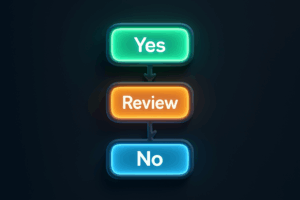
Tier 1: Automatic “Yes” Rules
Codify the no‑brainers. Define rock‑solid criteria once, then grant anything that hits every checkpoint. Example: “Under $200, aligns to OKR, needs less than two hours of dev time.” A request that qualifies deserves an instant thumbs‑up—zero cognitive drag, maximum team momentum.
Where to Start
Audit the last 30 days of approvals. Highlight patterns: budget bumps under $200, guest‑blog pitches that meet brand tone, legal reviews on template NDAs. These become your first wave of Tier‑1 rules.
Tier 2: Automatic “No” Rules
Save just as much juice by declining non‑starters on sight. If a request violates compliance, duplicates in‑flight work, or dilutes the quarterly theme, you kill it—no apology note required. Your future self says thank you.
Common Traps to Watch
- “Tiny” scope creep: Every 15‑minute favor steals focus you can’t invoice.
- Shadow priorities: If it’s not on the roadmap, it’s noise until next planning cycle.
Tier 3: The Worth‑My‑Time Zone
Only items that dodge both automatic rules land here. Now your calendar sees maybe five big calls a week instead of 50 tiny ones. Spoiler: you’ll tackle them faster because the mental tank is still full.
Implementation tip: Publish the filter inside a shared Playbooks folder in Teamly. Because the criteria live where work happens, your crew self‑screens before they ever ping you.
System #2 – Default Calendaring for Choice‑Heavy Tasks
You already time‑block deep work. Dial it up by assigning decision modes to specific hours so colleagues sync requests to your energy arc.
| Time of Day | Battery Level | Ideal Decisions |
|---|---|---|
| 08:30 – 11:00 | High | Quarterly bets, hiring calls, budget reallocations |
| 11:00 – 14:00 | Medium | Road‑mapping reviews, design critiques, performance feedback |
| 14:00 – 17:00 | Low | Tier‑1 approvals, inbox zero rituals, async doc comments |
Pro Moves
- Visible rhythms: Color‑code your calendar so teammates glimpse the energy zones at a glance.
- Bulk batching: Bundle all Tier‑1 approvals into a 30‑minute “Rapid Green‑Light” window at day’s end.
- Standing buffers: Insert 10‑minute willpower snacks (walk, water, stretch) between medium‑power slots to blunt drain.
Within two weeks, your peers will instinctively queue requests in the right slot—because it works for them, too.

System #3 – The One‑Question Checklist
Checklists fail when they’re longer than a tweet. Instead, craft one laser‑guided question that surfaces the principle you care about. Answer dictates action. No answer? Auto‑decline.
| Scenario | One Question to Rule Them | Next Step |
|---|---|---|
| Feature add‑on | “Will shipping without it break a promise we made on the sales page?” | If no → ship MVP |
| Meeting invite | “Will a decision get made in this room that affects my QOKRs?” | If no → decline |
| Vendor pitch | “Does it beat our current tool on cost or critical capability by ≥20%?” | If no → park until next review |
| Content idea | “Will this piece attract, convert, or retain ICPs better than our best performer?” | If no → archive |
Make It Stick
- Print the questions on a single index card; tape it to your monitor.
- Post the digital copy at the top of your Teamly project feed so submitters self‑sort.
- Seasonally prune or upgrade the questions—your business evolves, so should your filters.
System #4 – The Two‑Minute Decider Dock
Some asks can’t be auto‑approved but also shouldn’t lurk for days.
Enter the Decider Dock: a twice‑daily ritual where you sprint through medium‑stakes choices using a two‑minute timer per item.
The constraint forces clarity—requesters must frame a crisp problem and recommendation in advance (think Amazon’s six‑pager, shrunk to a Slack thread).
How to Launch
- Designate 10:45 a.m. and 3:30 p.m. as Dock windows. Protect these like gym time.
- Require requesters to attach a 3‑bullet summary: context, options, preferred path.
- Use a visible timer. When it dings, you decide or punt to Tier‑3 deliberation.
The Dock pacifies decision queues without derailing deep work. Overheads shrink; teams learn to package info for speed.
System #5 – Delegated Autonomy Matrix
Even with filters, some choices belong nowhere near your inbox. The Autonomy Matrix assigns clear guardrails by role and spend ceiling so frontline owners decide in real time.
| Role | Budget Ceiling | Scope | Escalation Trigger |
|---|---|---|---|
| Marketing Manager | $1,000 | Campaign creatives, A/B tools | Exceeds daily CAC target by 10% |
| CS Lead | $500 | Refunds, goodwill credits | Refund >$200 for single ticket |
| Product Owner | 3 sprint points | Bug fixes, UX tweaks | Change requires database migration |
Publish the matrix in your onboarding kit. New hires see immediately where they own decisions—and where they loop you in.
Putting It All Together: The Five‑Day Installation Plan (Extended Edition)
- Day 1 – Decision Audit: Keep a clipboard at your desk. Jot every choice you make. Circle anything repeated twice.
- Day 2 – Draft & Test Rules: Convert the top five repeats into Tier‑1 or Tier‑2 statements. Live‑test them for 24 hours.
- Day 3 – Roll Out Filters: Walk the team through rules, collect edge cases, embed guidelines in Teamly templates.
- Day 4 – Calendar & Dock: Block decision modes and schedule Decider Dock sessions. Notify the team of submission cut‑offs (e.g., 30 minutes before each Dock window).
- Day 5 – Autonomy Matrix: Draft the first version, align spend ceilings with finance, and ship the doc. Celebrate the first choice a teammate makes without you.
Maintenance Beats Heroics
Systems only work when they breathe. Review filters and matrices quarterly. Archive obsolete rules, tighten leaky ones, and raise autonomy ceilings as teammates grow.
Each tweak returns a dividend of focus—focus you can invest in strategy, innovation, or simply leaving the office on time.
Decision fatigue may be inevitable, but with the right defaults in place, it never gets the final say.
Instead, you—and your crew—stay sharp enough to make the calls that count and energized enough to start dreaming about the next big leap.